Your whole operation, at a glance
Run your week: keep track of your numbers, remember what everyone agreed, jot down actions and reduce waste — all in one place. Works for the whole department, or just for you.
Pro is free during Early Access. No card required.
Pro is free during Early Access
No card required. Set up your first room in a minute.
What's on the canvas
Lay out everything you manage, side by side
Arrange the room the way your team thinks. Everyone sees the same layout.
Keep track of your productionwith purpose-built boards
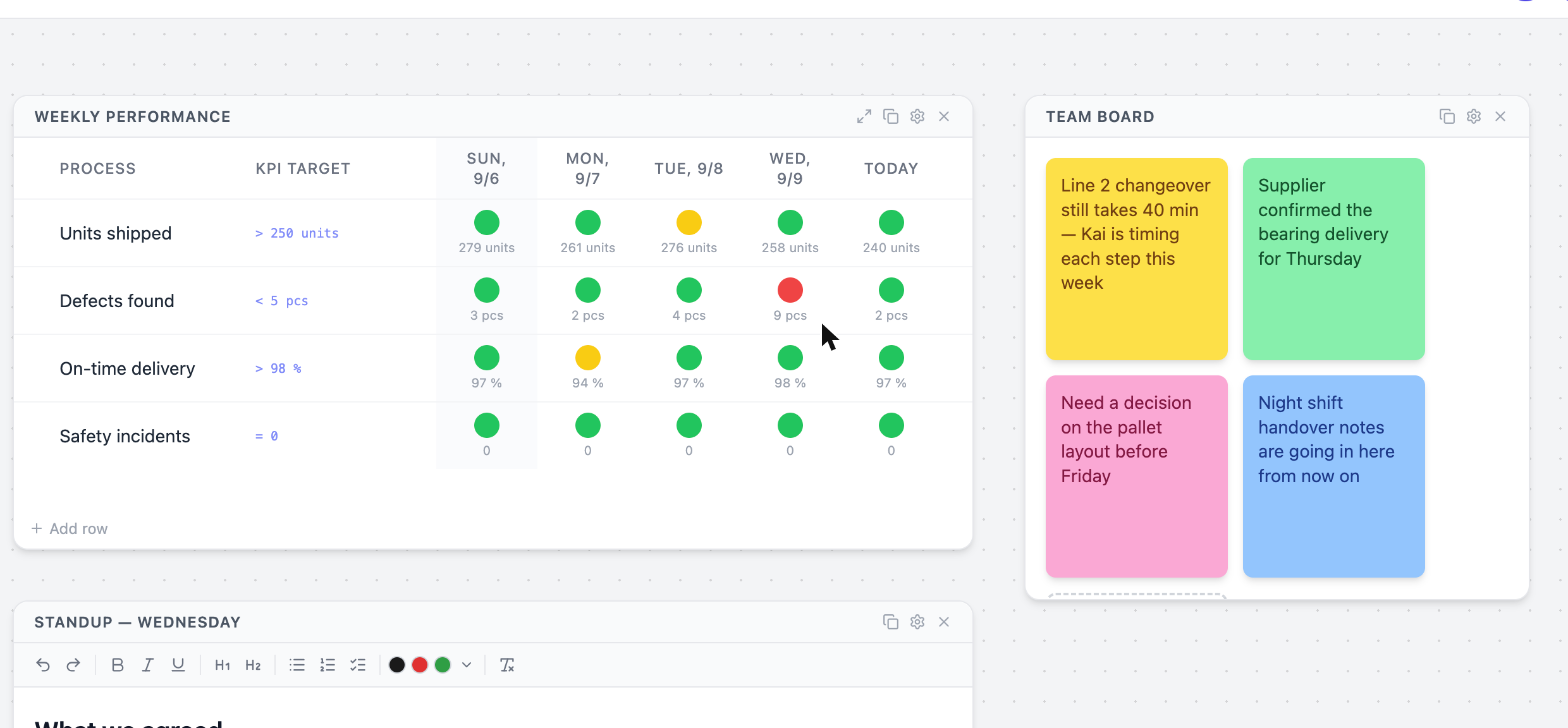
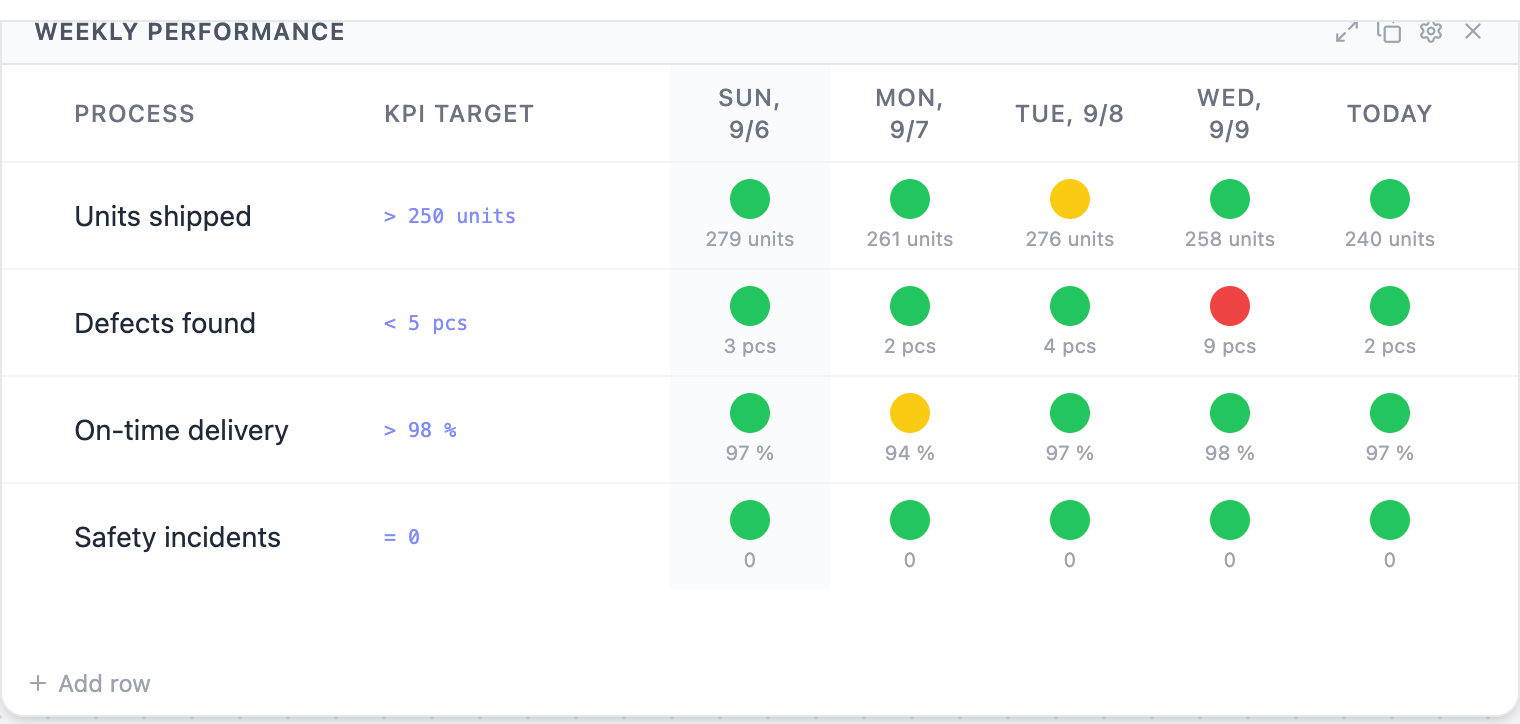
Set a target per row and every value colours itself. The board rolls forward on its own, so it is never out of date.
Jot down what’s in your head
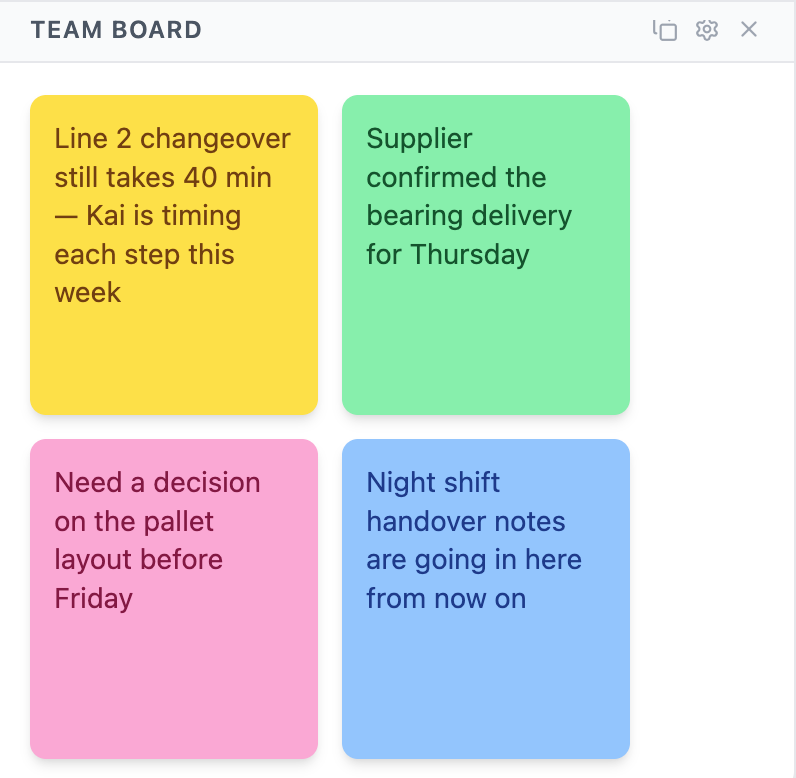
Blockers, handovers, the decision nobody has made yet — colour them and mention a teammate.
Notes with structure — checklists, headings, screenshots
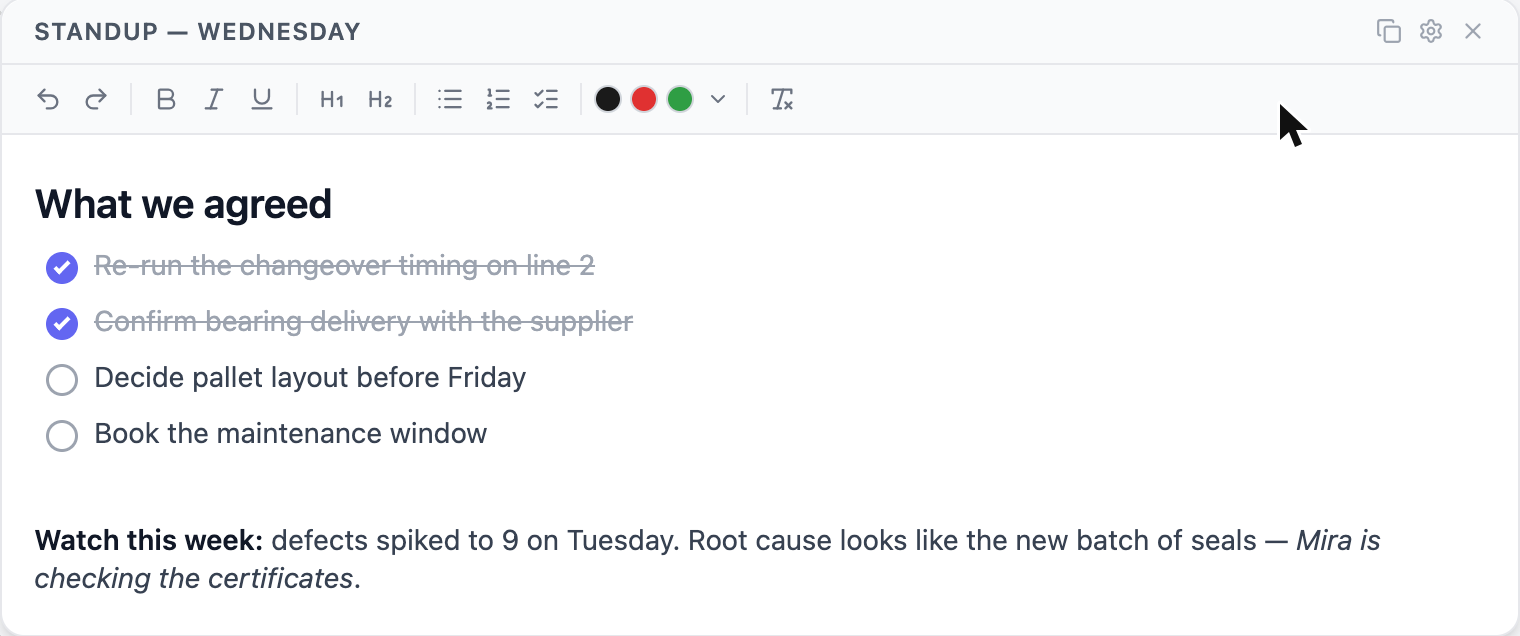
Rich text with checkable lists, so the standup note is also the follow-up.
How it works
Three steps, then it is just a habit
The work is keeping it current — a minute a day, in front of everyone.
- 1
Create a room
One room per team, project, course or product line. An empty canvas takes about ten seconds.
- 2
Add what you track
Name a metric, give it a target and a unit. Add sticky notes and written context around it. There is no setup wizard to sit through.
- 3
Invite the team
Owners, editors and viewers. Editors keep the board current; viewers see it without being able to change it.
Background
What is an Obeya room?
Where you control your business’s processes
One space for every plan, chart and problem — with status so visible that nobody has to ask.
Learn how Toyota’s engineers used it to build the Prius →Pricing
Pro is free during Early Access
Free
Free
Always
Everything you need to run a room for yourself or a small team.
- 2 rooms
- Up to 3 people per room
- Every element type
Pro
$0
Free during Early Access · always discounted for students
For people running several teams, projects or courses at once.
- 20 rooms
- Up to 20 people per room
- More storage for images and files
- Everything in Free
Teams
Coming soon
For organisations
For a department or company putting every team in its own room.
- Unlimited rooms
- Unlimited members
- Admin and moderator roles
- Everything in Pro
FAQ
Questions people actually ask
What is an Obeya room?
Obeya is Japanese for "large room". It is a Lean practice where a team puts its plans, metrics and problems on the walls of a single space, so status is visible at a glance instead of being reported in meetings. Obæya recreates that as a shared digital canvas for teams that no longer sit together.
Do I need to know Lean to use it?
No. If you can name three or four numbers that tell you whether the week went well, you have everything you need to start. The Lean background explains why it works, but the practice is just: pick a few meaningful measures, make them visible to everyone, and look at them together regularly.
How is this different from a spreadsheet?
A spreadsheet holds the numbers; it does not make them visible. Someone has to open it, and usually only one person maintains it. An Obeya room is ambient — the board is already showing red or green when you arrive, everyone on the team can update it, and the time window rolls forward on its own so it is never out of date.
How is it different from a Kanban board like Trello or Jira?
A Kanban board tracks individual work items moving through stages. An Obeya room tracks the health of the whole system: the measures, targets and trends that tell you whether the work is going well. Many teams run both — the Kanban board for what to do next, the Obeya room for whether it is working.
Can I use it for something other than manufacturing?
Yes. The practice originated in car development, but the mechanism is domain-neutral. Teams use it for software delivery, sales pipelines, department operations, research projects and study groups. Anything with a few numbers worth watching over time fits.
What does it cost?
There is a Free plan, and during Early Access every account gets the Pro plan at no cost, with no card required. When Pro launches, accounts move to Free and keep all their rooms and content; Pro is only needed to grow beyond the Free limits. The full comparison is on the pricing page at obaeya.com/pricing.
Can my whole team edit the same board?
Yes. Rooms are shared with role-based access: owners manage the room and its members, editors can create elements and enter values, and viewers see everything but cannot change it. Changes are visible to everyone in the room.
What happens to old data as the board moves forward?
Nothing is lost. Every value is stored against a real calendar date, and the board simply shows a rolling window of the most recent periods. You can open a wider view to enter values you missed or to look further back.